Iterary v1.6 — Board Crates, Gallery, and CSV Import
Iterary v1.6 adds board crates for grid-based piece placement, a gallery of ready-made prototypes, CSV import for bulk data, and a polished new toolbar — all free in the browser.
Iterary is a free, browser-based tool for prototyping tabletop games. Over the last few months it's picked up some big new features, and I wanted to share what's been going on.
Board Crates
The headline feature in v1.6 is the Board crate — a grid-based surface where you can place and drag pieces around. It works like you'd expect from a board game: define your grid size, drop pieces onto cells, and drag them between boards or within the same board.
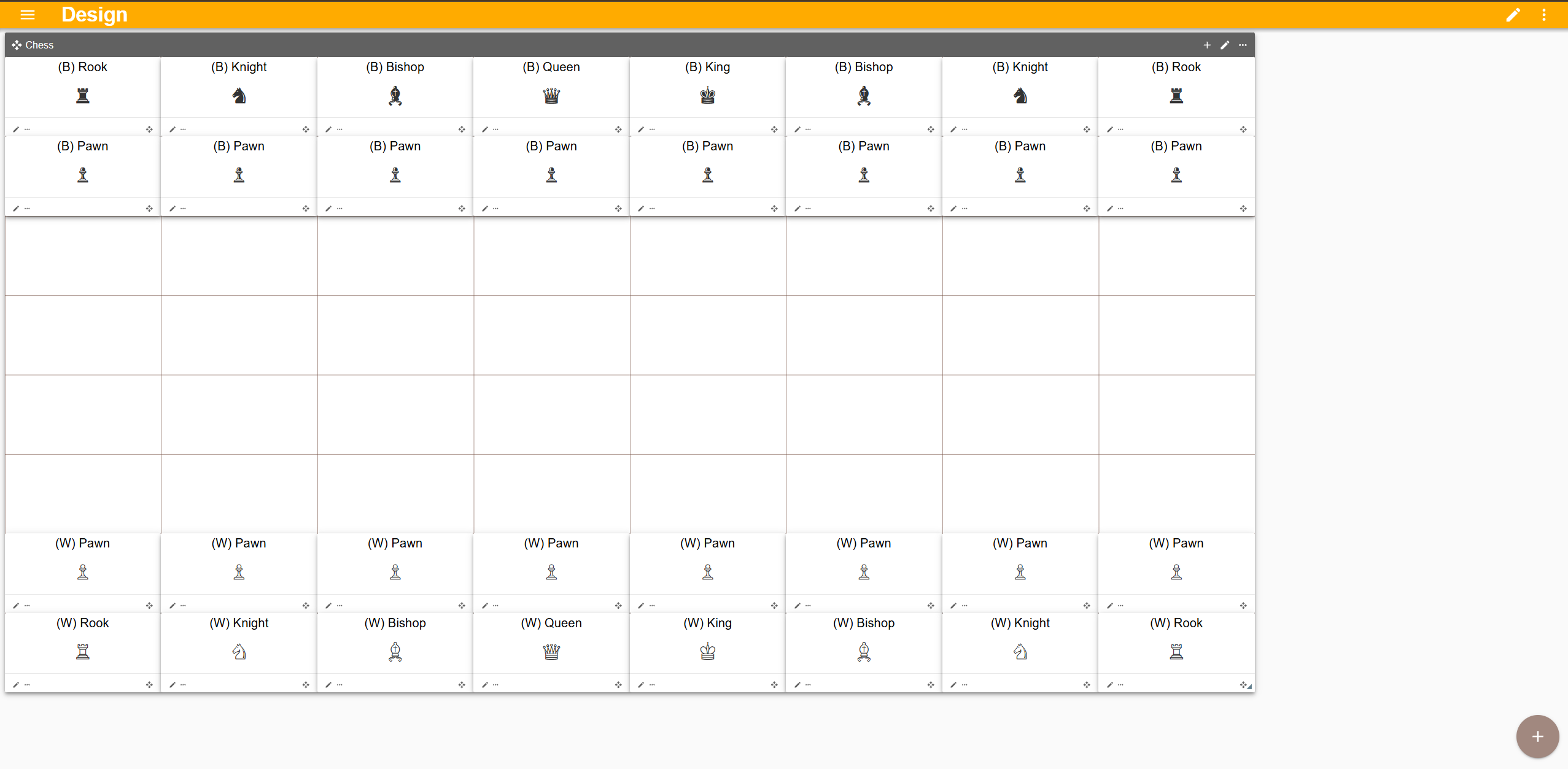
The screenshot above is a full chess set built using nothing but Board group and cards. Each piece sits in its own grid cell and can be dragged to any legal position. It ships as a ready-made example in the gallery.
Gallery
Iterary now has a Gallery of pre-built prototypes you can load with one click. Right now it includes Chess and Civilization, with more on the way. The gallery is the fastest way to see what Iterary can do without building anything from scratch.
CSV Import
Need to import a big list of cards, dice faces, or counters? CSV import lets you drag in a spreadsheet and map columns to crate fields. This is huge for designers who already have their game data in a spreadsheet and don't want to re-enter it by hand.
Everything Else
A lot of polish went into this release cycle:
- Auto-sized text — card and note text now scales to fit its container automatically
- Streamlined toolbar — edit/play toggle with an overflow menu keeps things clean
- Better drag-and-drop — fixed several edge cases with dragging between boards and crates
- SEO overhaul — the site now has proper meta tags, Open Graph cards, and a sitemap
Try It Out
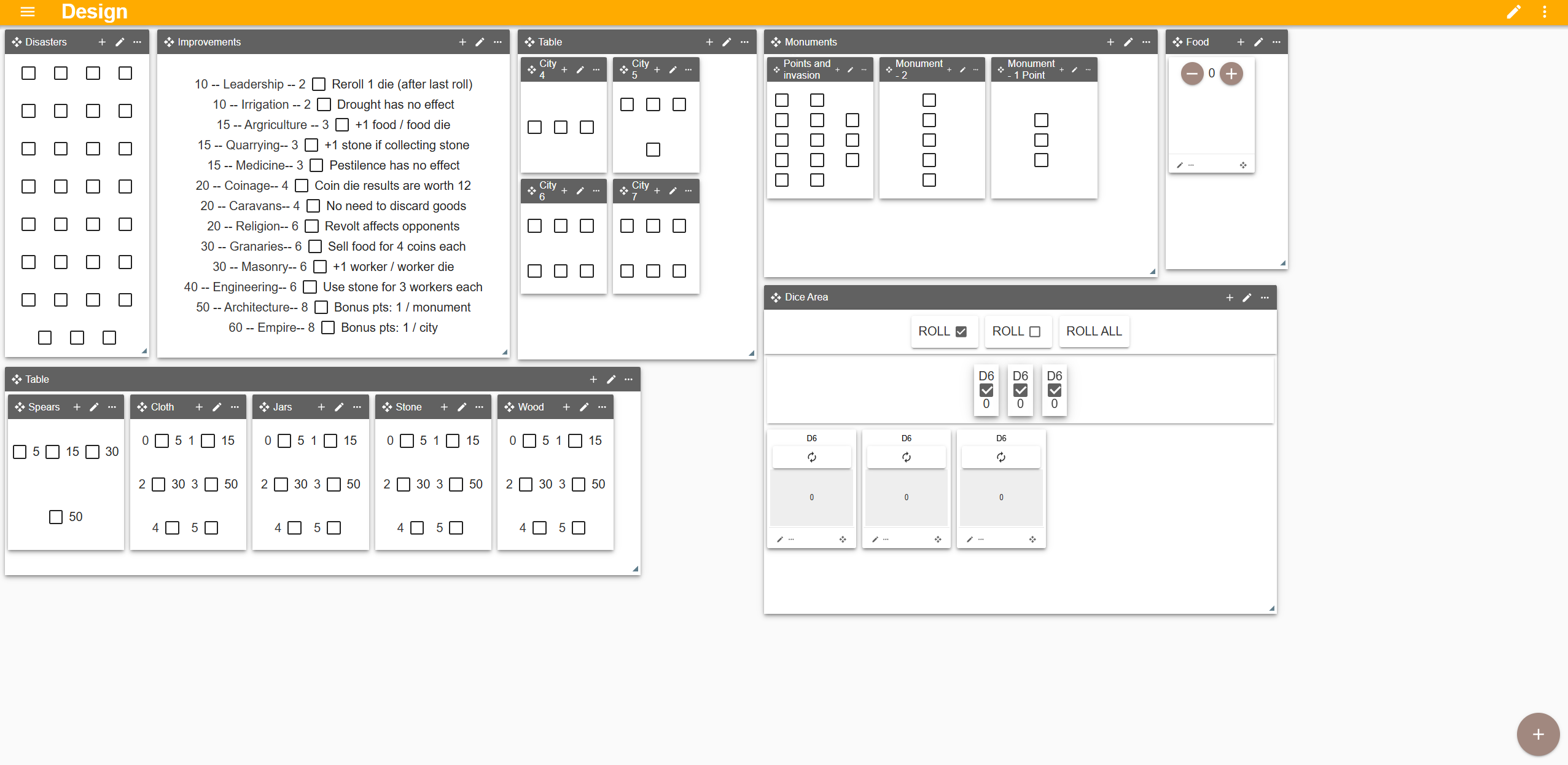
Iterary runs entirely in the browser — no account required, no install, no paywall. Head over to iterary.com and start prototyping. If you're a board game designer who's been sketching on paper or fighting with general-purpose tools, give it a try.
Check out the guide to get started, or load an example from the gallery and start tweaking.
What's Next
There's a lot more planned for Iterary:
- Board rotation — rotate boards so each player can see from their own side, just like sitting around a physical table
- Marketplace — share and browse community-created prototypes directly in the app
- Multiplayer — real-time shared game tables so you can playtest with others remotely